

You bought an adjustable driver, and the hosel wrench is sitting in your bag. The promise was simple: turn a few notches, add loft, launch the ball higher, stop topping shots into the next fairway. But adjustable drivers are not as straightforward as the marketing suggests. Change the loft without understanding the hosel, and you might also shift the face angle or alter your ball flight.
Learning how to adjust driver loft for beginners safely means knowing exactly what each adjustment does before you touch the wrench. Some hosels change loft and lie independently. Others tie loft changes to face angle shifts that only appear when the club is soled at address. Get this wrong, and a setting meant to help you can quietly work against you.
This guide walks you through what loft actually does to ball flight and face angle. You will learn how to read your specific driver's hosel before making changes, and which tools you need for the job. We cover a step-by-step process for adjusting loft without unintended side effects, plus the common mistakes that trip up beginners on their first attempt. By the end, you will know whether to adjust your driver yourself or seek a fitting first, and which settings give you the best chance at a higher, straighter tee shot.
- 1) What Loft Does to Ball Flight and Face Angle
- 2) Know Your Driver's Hosel Before Changing Anything
- 3) Tools and Materials You Need
- 4) Step-by-Step: How to Adjust Driver Loft Safely
- 5) Common Mistakes to Avoid
-
6)
Frequently Asked Questions
- 6.1) What does changing driver loft actually do to ball flight?
- 6.2) How does loft affect face angle on an adjustable driver?
- 6.3) Should beginners change loft themselves or get fitted first?
- 6.4) What settings help a beginner hit a higher launch?
- 6.5) Which adjustable driver features matter most for slice or hook tendencies?
- 7) Final Thoughts
What Loft Does to Ball Flight and Face Angle
Understanding loft starts with three numbers: launch angle, spin rate, and face angle. Loft is the angle of the clubface relative to the ground. More loft means a steeper face, which typically launches the ball higher and adds backspin. Less loft does the opposite: lower launch, less spin, and often more roll on landing.
For beginners, this relationship matters. Most new golfers struggle with launch. A driver with too little loft for your swing speed sends the ball on a low, spinning trajectory that stalls early and loses distance. Adding loft helps you get the ball airborne and keeps it there longer.
Loft, Launch, and Spin Basics
Every degree of loft changes your ball flight measurably. As a rule of thumb, each degree of added loft increases launch angle by roughly 0.5 to 1 degree. It also adds 200 to 300 rpm of backspin, depending on your swing. That extra spin creates lift, which carries the ball farther before it descends.
Your swing speed determines your ideal loft range. Slower swings need more loft to generate enough launch and spin. Faster swings can use less loft because they already create ball speed. If you are unsure where you fall, a basic fitting or launch monitor session gives you a starting point. Without that data, err on the side of more loft rather than less.
Why Face Angle Can Change When Loft Changes
Here is where adjustable drivers get tricky. On many models, changing the loft setting also shifts how the face sits at address. This happens because the hosel mechanism rotates the shaft inside the head, and that rotation moves the face with it.
Titleist's SureFit Tour hosel adjusts loft and lie mechanically. The company notes that adding loft can make the face sit more closed when the club is soled. Decreasing loft can make it sit more open. A closed face points left for a right-handed golfer and can worsen a hook. An open face points right and can worsen a slice. So a loft change meant to add height might quietly change your shot shape too.
Callaway's OptiFit hosel and sliding weight systems work differently. These let you fine-tune loft, face angle, and ball flight somewhat independently. If you own a Callaway driver, you have more control over separating these variables.
When the Face Effect Appears: Only at Address With the Club Soled
Titleist states that the face-angle effect from loft adjustment only happens when the driver is soled at address. When you hold the club in the air, the face looks the same regardless of the loft setting. Sole the club on the ground, and the face rotates to its new position.
This matters for how you check your settings. Always look at the face angle with the club soled, the way you actually address the ball. If you check it in the air, you will miss the change. Use the alignment marks on the crown and sole to confirm where the face sits before you swing.
Before you change anything, write down your current setting. Take a few swings, note your ball flight, then adjust one variable at a time. Change loft, test, observe. If the ball starts drawing or fading unexpectedly, the face angle may have shifted with it. Re-check the soled position and adjust your expectations accordingly.
Know Your Driver's Hosel Before Changing Anything
Your driver's hosel is the sleeve that connects the shaft to the clubhead. It determines which adjustments you can actually make. Not every adjustable driver works the same way. Some change only loft. Others change loft and face angle together. Some let you adjust each setting independently. Before you turn that wrench, check what kind of hosel your driver has.
Loft-Only vs. Loft-and-Face-Angle Hosels
A loft-only hosel changes the angle of the clubface relative to the shaft, nothing else. Add a degree of loft, and you get more launch and backspin. The face angle stays the same. This is the simplest type to use because one adjustment does one thing.
A loft-and-face-angle hosel changes both at once. Add loft, and the face also rotates closed. Take loft away, and the face opens. This coupling matters for beginners with a slice or hook. If you add loft to fight a slice, a closed face angle can make the slice worse. If you lower loft to reduce a hook, an open face can make the hook worse.
You need to know which type you have before you adjust anything.
Titleist SureFit Tour Hosel: Loft and Lie Adjust Independently
The SureFit Tour hosel on Titleist drivers adjusts loft and lie, but not face angle directly. The loft and lie settings work independently. You can change one without the other moving.
Here is the catch. When you add loft on a Titleist driver, the face sits more closed when you sole the club at address. Decrease the loft, and the face sits more open. Titleist confirms this face-angle effect only happens when the driver is soled. The mechanical adjustment itself does not change face angle, but the way the head sits on the ground does.
For a beginner fighting a slice, adding loft through SureFit can close the face at address and make your miss worse.
Callaway Adjustable Hosels and Sliding Weights
Callaway drivers use the OptiFit hosel and sliding weight systems. The adjustable hosel and sliding weights work together to fine-tune loft, face angle, and ball flight. You can move weight to draw or fade bias, and adjust the hosel to change launch conditions.
This two-system approach gives you more control, but also more ways to get it wrong. Move the weight to fix a slice, then change the hosel to add loft, and you might undo your first fix. Callaway's system lets you separate these adjustments, but you have to track what each one does.
Start with one change at a time. Test it. Then add the next.
TaylorMade M6 Loft Sleeve: Click Ranges for Loft and Face Angle
The M6 Loft Sleeve uses a click system with distinct positions for loft and face angle. Each click moves the setting by a set amount. The sleeve adjusts loft and face angle, and the two move together in fixed combinations.
TaylorMade designed this to simplify choices. You pick a setting, and the club delivers a predictable combination of loft and face angle. For beginners, this removes guesswork. You do not have to calculate how a loft change affects face angle.
The tradeoff is less fine control. You cannot set loft and face angle independently. If you need a specific combination that TaylorMade does not offer, you are stuck.
Before you adjust your driver, also consider how driver shaft length interacts with your loft settings. A longer shaft can increase clubhead speed and launch, which changes how much loft you actually need. If you are also thinking about shaft length, read our guide on driver shaft length before you start turning wrenches. Matching the right shaft to the right loft setting gives you a driver that fits your swing, not just your preferences.
Tools and Materials You Need
Before you touch your driver, gather the right gear. Skipping a step here leads to stripped screws, lost settings, or a club that performs worse than before you started.
Adjustable Driver and Manufacturer Adjustment Chart
Your driver is the starting point. Look for a hosel with visible markings or a sleeve system that lets you change settings. Most modern drivers from the last five years include this feature, but check your specific model.
The manufacturer adjustment chart is the single most important document in this process. It shows exactly what each position does to loft, lie, and face angle. Without it, you are guessing. Download the chart from the brand's website or check the manual that came with your club. Keep it in your golf bag alongside your wrench.
Titleist, Callaway, TaylorMade, Ping, and Cobra all publish these charts online. Match your driver model exactly, because settings differ between product lines and years.
Torque Wrench or Hosel Tool
The small wrench that came with your driver is a torque wrench, not a regular Allen key. It clicks or slips at a specific tightness, which protects the hosel threads from damage.
Using a standard tool risks over-tightening and stripping the mechanism, or under-tightening and having the head rotate during your swing. Some drivers use a proprietary hosel tool instead of a wrench. Check which one your club requires.
Store the wrench where you will remember it. Many golfers leave it at home, then cannot make adjustments at the range. A lost wrench means ordering a replacement from the manufacturer, which can take days.
Launch Monitor and Golf Balls for Testing
You need data to know if a setting works. A launch monitor measures ball speed, launch angle, spin rate, and carry distance. Without it, you are adjusting blind.
Portable units like the FlightScope Mevo or Garmin Approach R10 work well for home practice. Many driving ranges and fitting studios offer launch monitor access for a fee. Bring a sleeve of the golf balls you actually play. Testing with a different ball changes the numbers.
A low-spin ball will not show you the true effect of added loft. Hit at least 10 shots per setting and average the results. One good swing tells you nothing. Consistent data tells you what the club is doing.
With these tools in hand, you can adjust your driver with confidence and verify every change.
Step-by-Step: How to Adjust Driver Loft Safely
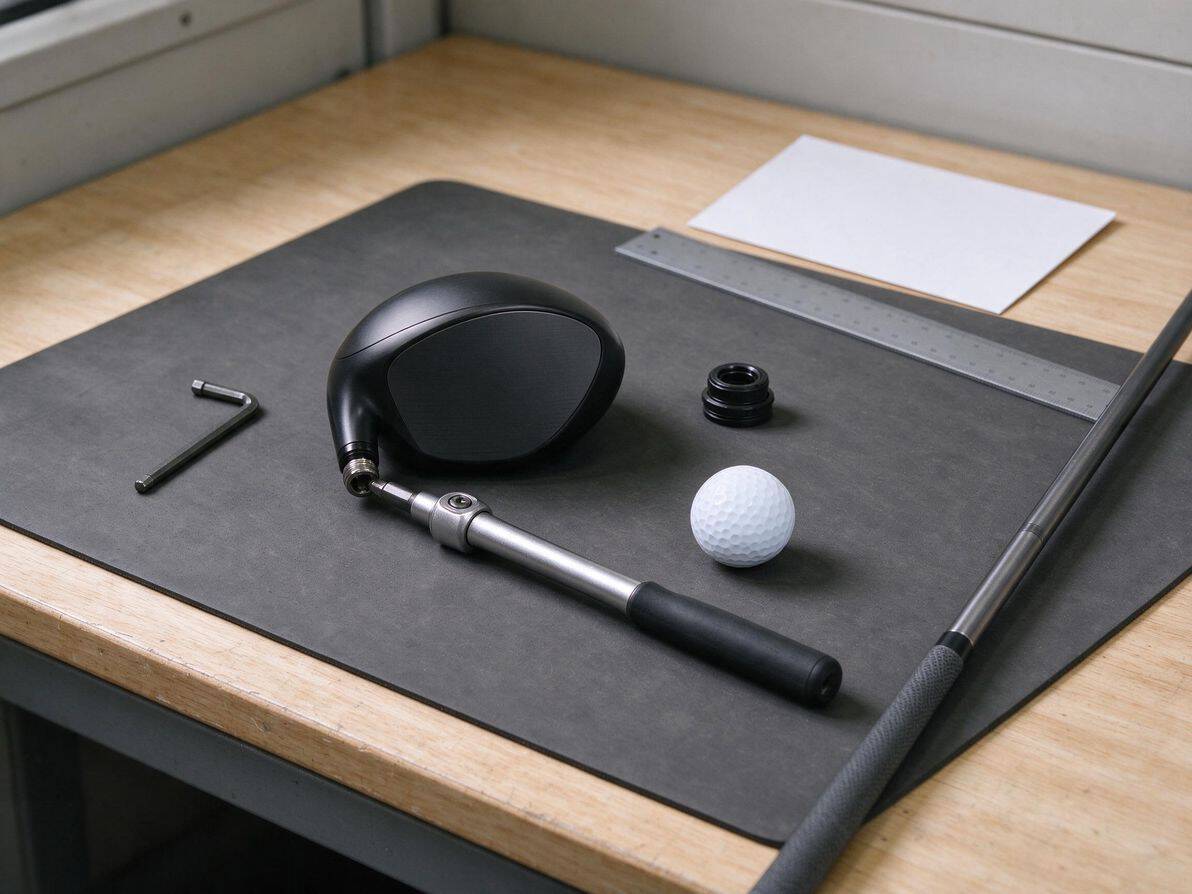
Adjusting your driver loft takes patience and a clear method. Skip steps or rush through them, and you can end up with settings that fight your swing instead of fixing it. Follow this sequence every time you touch the hosel.
Step 1: Identify the Miss You Want to Change
Before you turn a single screw, name the specific problem you are trying to solve. Are you hitting low, spinning shots that balloon and fall short? Or are you launching too high with a weak, floating trajectory that dies in the wind? Each miss points to a different adjustment.
- Low launch with low spin: you likely need more loft
- High launch with excessive spin: you likely need less loft
- Shots that start straight but curve hard one direction: loft may not be the root cause, check face angle and shaft flex first
Write down your current miss pattern. Hit 10 to 15 drives and note where they land and how they fly. This baseline lets you measure whether your adjustment actually helped.
Step 2: Adjust Loft in Small Increments
Start with the smallest change your hosel allows. Most adjustable drivers move in 0.5 or 1 degree steps. Turning the wrench one full position is enough for your first test.
- Loosen the hosel screw completely before rotating the sleeve
- Lift the shaft straight up, rotate to the new setting, then reseat it fully
- Tighten the screw firmly but do not overtighten the screw
- One click at a time, never jump multiple settings in a single session
Large jumps hide what actually caused the change. If you move two degrees and your ball flight improves, you will not know which degree was the sweet spot.
Step 3: Check Whether the Hosel Also Changes Face Angle
On some drivers, loft and face angle move together. On others they are fully independent. Titleist's SureFit system, for example, adjusts loft and lie mechanically without changing face angle. Callaway's adjustable hosels often let you fine-tune loft, face angle, and ball flight through separate mechanisms.
Check your driver's manual or the manufacturer's setup chart. If your hosel couples loft and face angle, adding loft may close the face at address. That can turn a slice into a hook if you are not watching for it. Know your club's behavior before you swing.
Step 4: Test at Address and From the Tee
Stand over the club first. Look at the face angle and the sole. Does the face look square, open, or closed? Does the crown sit flat or tilted? These visual checks catch setup problems before you hit a ball.
Then hit 10 to 15 drives at the range or simulator. Track three numbers: launch angle, spin rate, and shot shape. Compare them directly against your baseline from Step 1.
- Launch angle moved up or down by roughly 0.5 to 1 degree per degree of loft change
- Spin rate shifted by 200 to 300 rpm in the expected direction
- Shot shape stayed consistent or improved toward your target line
If any of these look wrong, stop and recheck your hosel setting. A loose shaft or misaligned sleeve produces erratic results.
Step 5: Compare Results With a Fitting or Launch-Monitor Session
Your range session gives you a rough answer. A launch monitor or professional fitting gives you the real one. Portable units like the FlightScope Mevo or Garmin Approach R10 track ball speed, launch angle, spin rate, carry distance, and total distance with precision your eyes cannot match.
Bring your adjusted driver to a fitting session or rent time on a simulator. Compare your home-test numbers against the monitor data. If the monitor shows your change worked, lock it in. If it reveals a different optimal setting, adjust again and retest.
A fitting also catches problems loft cannot fix. If your miss comes from an outside-in swing path or a shaft that is too stiff, no hosel setting will solve it. Save yourself the guesswork and get measured.
Common Mistakes to Avoid
Adjusting your driver loft is straightforward once you know how the hosel works. The mistakes below trip up most beginners. Each one can turn a helpful tweak into a frustrating round.
Assuming Lower Loft Always Means More Distance
Lower loft does not automatically add distance. Distance comes from the right combination of clubhead speed, launch angle, and spin rate. Drop the loft too far, and your drives launch too low with too little spin. The ball falls out of the air early and rolls nowhere near as far as a higher-lofted shot that stays airborne.
For most beginners, swing speeds are not high enough to optimize a 9-degree driver. A slightly higher loft usually produces better carry and more total distance. Use a launch monitor or track your drives on the course before you assume less loft helps. If your drives balloon or knuckle, you need more loft, not less.
Changing Settings Without Knowing Whether Face Angle Also Moves
Not every adjustable hosel works the same way. Some systems change loft and face angle together. Others let you adjust them independently. Before you turn the wrench, check your driver's manual or the manufacturer's settings chart.
On some drivers, adding loft closes the face when the club is soled. Decreasing loft opens it. This shift changes how the club looks and feels at address, and it affects shot shape. A closed face can cause hooks. An open face can cause slices. Know what your specific hosel does before you make a change.
Expecting Loft Tweaks Alone to Fix a Major Swing Flaw
A loft adjustment is a fine-tuning tool, not a swing fix. If you slice every drive, changing the loft will not cure an outside-in swing path or an open clubface at impact. The slice will still happen, just with a different trajectory.
Work on your golf swing basics first. Once you can hit the golf ball straight with some consistency, use loft adjustments to optimize launch and spin. Trying to engineer your way out of a fundamental flaw wastes time and builds bad habits.
Ignoring Face Appearance at Address After a Loft Change
After any hosel adjustment, stand over the ball and look at the face. Does it sit square, open, or closed? Your eyes and hands will react to what they see. If the face looks closed, you may subconsciously hold off the release and push the ball right.
If it looks open, you may flip the wrists and hook it left. Spend a few swings at the range just getting used to the new look before you judge the results. A setting that produces perfect numbers on a launch monitor can still feel wrong if the face angle at address does not match your eye. Trust what you see, then verify with data.
Frequently Asked Questions
What does changing driver loft actually do to ball flight?
Adding loft increases launch angle and backspin, which keeps the ball in the air longer and carries farther for slower swing speeds. Each degree of added loft typically raises launch angle by about 0.5 to 1 degree and adds 200 to 300 rpm of backspin.
Lowering loft does the opposite: it launches the ball lower with less spin, which can reduce carry if your swing speed is not high enough to compensate.
How does loft affect face angle on an adjustable driver?
On some drivers, changing loft also changes how the face sits at address. Titleist's SureFit system mechanically adjusts loft and lie independently, but adding loft makes the face sit more closed when the club is soled, while decreasing loft makes it sit more open.
This face-angle shift only happens when the driver is soled at address, not in the air. Callaway's adjustable hosels and sliding weights let you fine-tune loft, face angle, and ball flight, often with separate controls for each.
Should beginners change loft themselves or get fitted first?
Start with a fitting. A professional can measure your swing speed, launch conditions, and miss pattern, then recommend a loft setting based on data rather than guesswork.
If you cannot get fitted yet, use the manufacturer's stock setting and focus on your swing first. Once you have consistent contact and a repeatable swing, small loft adjustments become more predictable and useful.
What settings help a beginner hit a higher launch?
Increase loft by 1 to 2 degrees from the stock setting and check your results with a launch monitor. Pair this with a higher-lofted fairway wood or hybrid if you struggle to get the ball airborne.
Many beginners also benefit from moving sliding weights to the back of the head, which raises the center of gravity and promotes a higher launch. If you tend to slice, see our guide on how to fix a slice for complementary adjustments.
Which adjustable driver features matter most for slice or hook tendencies?
Face angle matters more than loft for correcting a slice or hook. A more closed face angle helps a slicer by reducing the amount the ball curves left to right. Sliding weights that shift mass toward the heel can also help draw the ball back toward the center.
Loft changes alone will not fix a directional miss; they mainly change height and spin. If you are still shopping for equipment, read about beginner golf gear regrets to avoid overspending on features you do not need yet.
Final Thoughts
Adjusting your driver loft is one of the simplest upgrades you can make to your game, but only if you understand what you're changing. The hosel controls more than just the angle of the face. On many models, it also shifts how the face sits at address, which affects your ball flight in ways you might not expect. Knowing this difference saves you from chasing the wrong fix.
Start with the right tools and take your time. A torque wrench, the correct hosel tool for your specific driver, and a launch monitor or range session give you the feedback you need. Make one adjustment at a time, hit a dozen drives, and record what happens before you change anything else. Small, measured steps beat big guesses every time.
Remember that loft is a tuning tool, not a cure. If your slice comes from an outside-in swing path, adding two degrees of loft won't fix it. It might even mask the problem while you develop worse habits. Use the adjustment to fine-tune a fundamentally sound swing, not to compensate for one that needs work.
Your next step is simple. Grab your driver, find a quiet range session, and test one setting at a time. Bring a notebook. Track your launch angle, spin rate, and carry distance. Within an hour, you'll know more about your driver than most golfers ever learn.
The right loft setting is out there. Find it, and your drives will fly higher, land softer, and travel farther than they ever have before.